
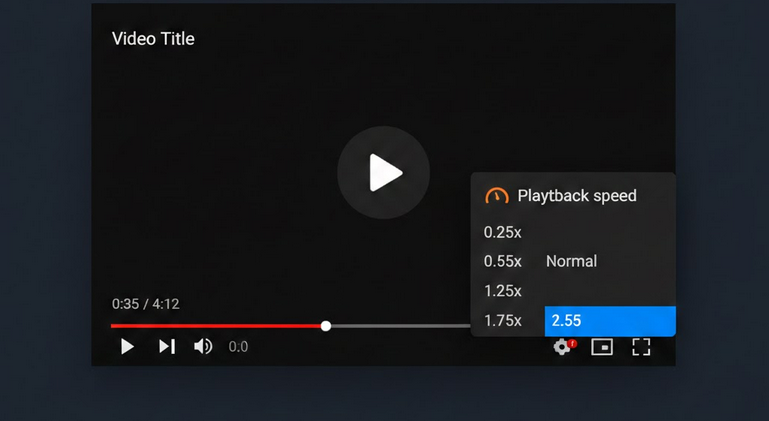
One can change video playback speed. It means that one can change speed settings, either lowering or increasing the video speed compared to usual settings. One can make video watching more convenient. Information on how to change playback speed will assist in making YouTube viewing more efficient.
Different Playback Speeds
There are different playback speed settings offered by YouTube ranging from extremely slow speed up to twice usual speed. Different playback speed settings are suitable for different video types.
- 0.25x – extremely slow playback speed that helps view each video frame individually.
- 0.5x – half-speed playback for tutorials, dances and other complicated video types.
- 0.75x – slightly slow playback speed if video moves too quickly.
- Normal (1x) – standard playback speed set by the video author.
- 1.25x – increased speed setting for time saving without losing audio quality.
- 1.5x – nice playback speed setting for podcasts, lectures and reviews.
- 1.75x – nice playback speed setting for advanced users who want to save some time.
- 2x – twice usual speed for watching videos faster.
Changing the Playback Speed
Changing video playback speed on the YouTube app is rather simple. First, one should tap on the video and then click on the gear or three dots button to select a desired playback speed setting in the Playback Speed tab. Desktop users should simply click on the gear icon in the player controls and set the required speed.
Playback Speed Control with YouTube Vanced
YouTube Vanced allows using the same playback speed settings as the official YouTube app but with some extra features. First of all, it allows using playback speed control buttons while watching videos and saving the required playback speed setting. Besides ads removal and SponsorBlock, speed control will enable one to watch videos faster without any interruptions.
Vanced MicroG account synchronization will allow watching videos with the required speed setting.
Preferred Speed Settings Depending on Video Type
- Podcasts and commentary videos – 1.5x to 1.75x playback speed settings.
- Tutorials or how-to videos – normal to 1.25x depending on video complexity. Slow down for hands-on videos.
- Lectures and educational videos – 1.25x to 1.5x for familiar topics. Normal or 0.75x for unfamiliar topics.
- Music videos – normal playback speed.
- Reviews and comparisons – 1.5x to gather information quickly.
- Dance and fitness videos – 0.5x to 0.75x.
Time Saved by Increasing the Video Speed
Increasing video playback speed will help one save much time. A twenty-minute video with 1.5x playback speed setting will take only 13 minutes to be viewed. At 2x speed setting – 10 minutes. For those who spend several hours a day watching videos, saved time is significant.
Who Needs Speed Control on YouTube
- Students who study lectures and other educational content.
- Listeners of long-form audio content.
- Those who conduct research on a particular topic and quickly watch videos.
- Language learners who want to understand foreign language content slowly.
- Busy professionals who need to gather some information but have not enough time.
Conclusion
Playback speed control is one of the most underestimated YouTube features. Whether one increases or lowers video playback speed, it will enhance one’s video viewing experience. Ad-free experience provided by YouTube Vanced will ensure better speed watching experience.